In response to our customers' feedback, we are excited to bring early renewals to our Client Area!
This new feature gives you better control over your web hosting and domain names, making early renewals easy.
We are turning your request into reality by listening to your needs and your feedback! 🙂
Early renewals: control in your hands
Until now, to renew a service or a domain, its invoice had to have been issued first.
Depending on the billing period, this could happen anywhere from 7 to 30 days before the service expired.
But what if you wanted to renew your service or domain earlier? You had to contact us, we had to issue you an invoice, and you then made the payment based on it.
This functional limitation is now fixed!
With the new early renewals feature in our Client Area, you are no longer tied to traditional renewal schedules.
- Want to renew your services long before the expiry notices arrive?
- Prefer to line up your renewals with your financial planning?
- Want to renew on specific dates so that nothing slips past you?
All of these scenarios are now possible!
This flexibility is not only about convenience and planning. It is about giving you the freedom to manage your digital assets on your own terms, bringing peace of mind, control and a sense of security.
How do early renewals of hosting plans work?
Let's see step by step how you can use the new early renewals feature for hosting plans.
When you log in to the Client Area, you will notice a new panel showing all the services for which you can use the new feature.
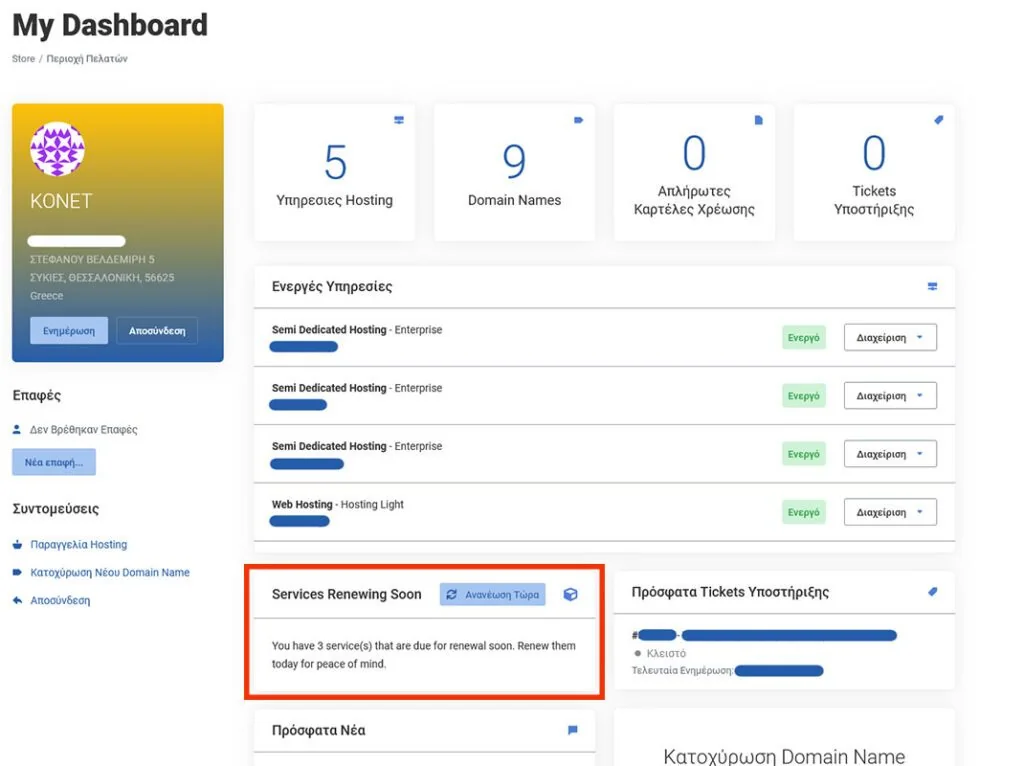
Clicking the “Renew Now” button takes you to the Shopping Cart, where you will see all the services that can be renewed early.
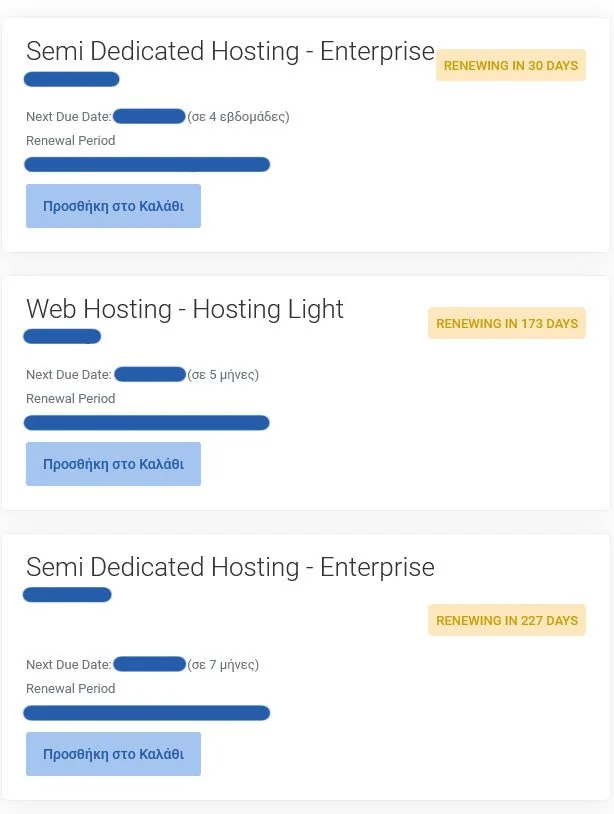
By clicking the “Add to Cart” button for the services you are interested in, you can go ahead and renew them early.
From there, the process continues as normal, like any purchase.
Services that are not available for renewal will be shown with a message saying so.
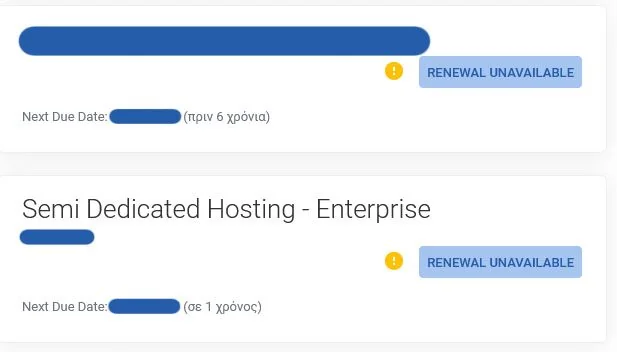
How do early renewals of domains work?
Now let's see how you can use the new early renewals feature for domains.
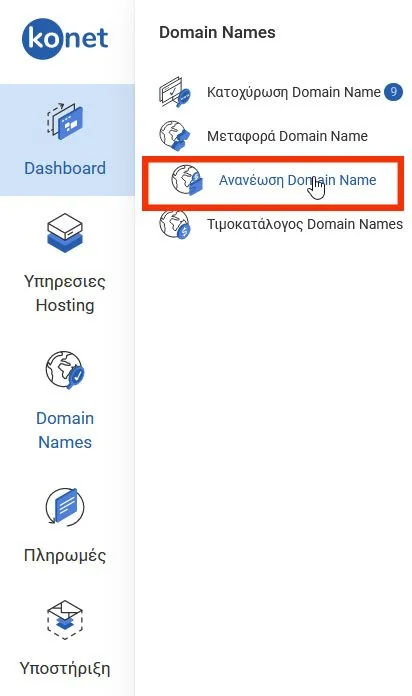
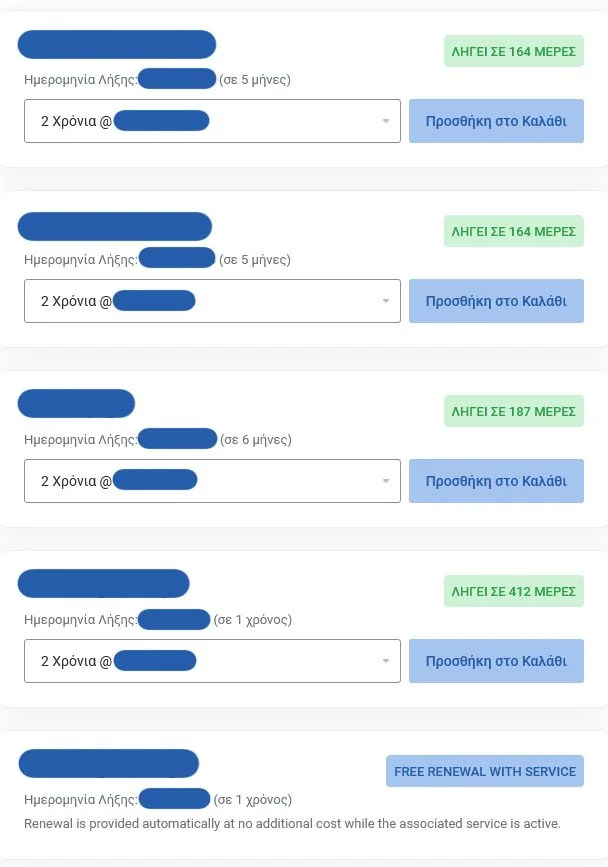
Unlike early renewals of hosting plans, for early renewals of domain names you will need to use the Client Area menu.
Once you have logged in to the Client Area, hover over the Domain Names button in the menu and then click the Renew Domain Name button.
On the next screen you will see:
- all your domains,
- the time left until they expire,
- their expiry date,
- the renewal cost.
You can add the domains you want to renew early to the Shopping Cart by clicking the “Add to Cart” button.
After that, the process continues as normal, like any purchase.
Upgrades guided by your opinion
As we continue to develop the Konet.gr Client Area, the introduction of early renewals is an important step in improving the user experience.
This feature, born from your valuable feedback, is part of our commitment to providing solutions that meet your needs.
We invite you to explore this new feature and share your thoughts with us.
Your opinion is always valuable in shaping our future innovations, making sure we keep providing services that improve your experience in the online world.
 This article is licensed under Creative Commons Attribution 4.0 International (CC BY 4.0). You may republish it, provided you credit Konet as the source with a link to this article.